 Pinnwerk
Drop markers.
Give feedback.
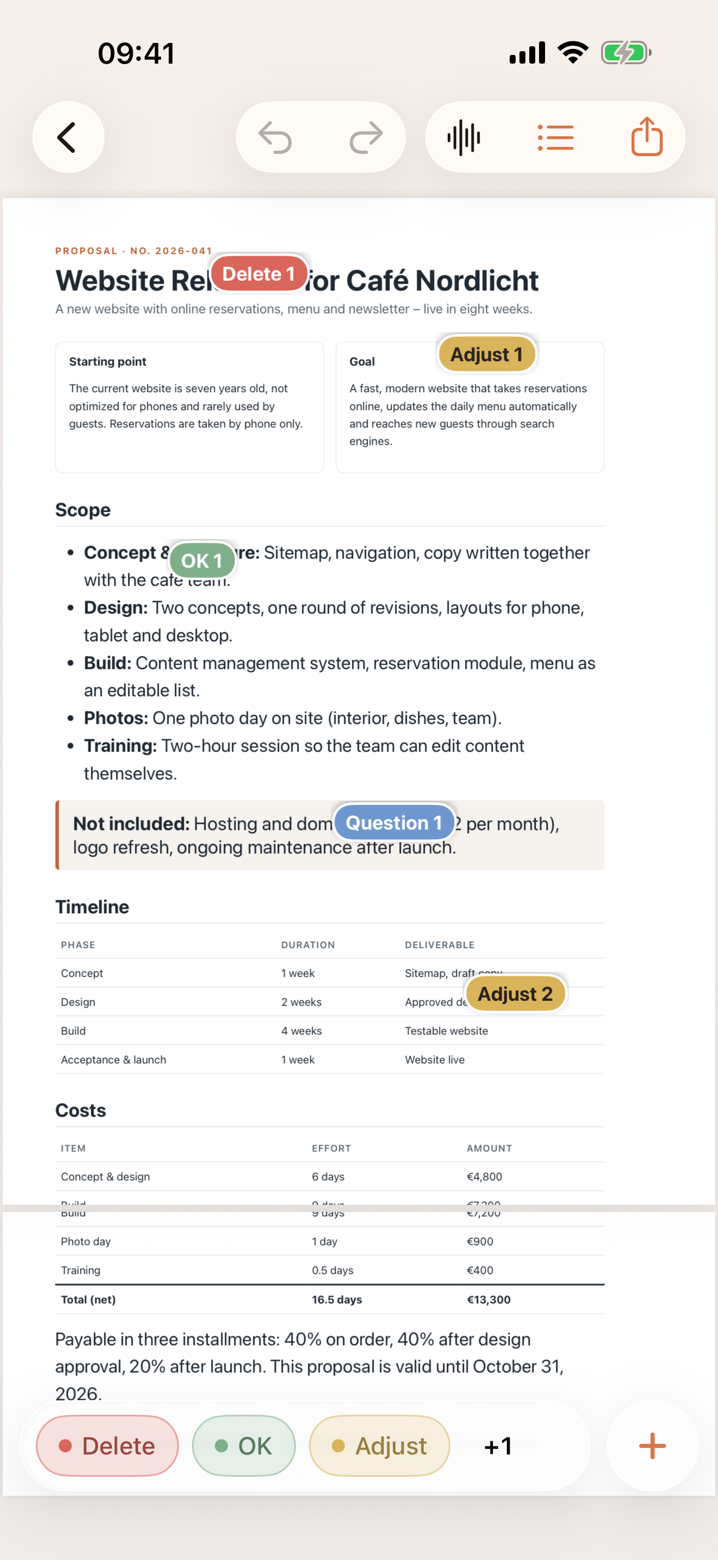
Share a PDF, photo, document or web page with Pinnwerk, drop colored, numbered markers where something should change, and write, draw or dictate what you mean. Export one clean PDF – or Markdown for your AI assistant.
Coming soon to the App StoreSee how it worksFree for up to three documents. One-time unlock for everything, no subscription. iOS 26 / iPadOS 26.
Everything in one place
Works with anything
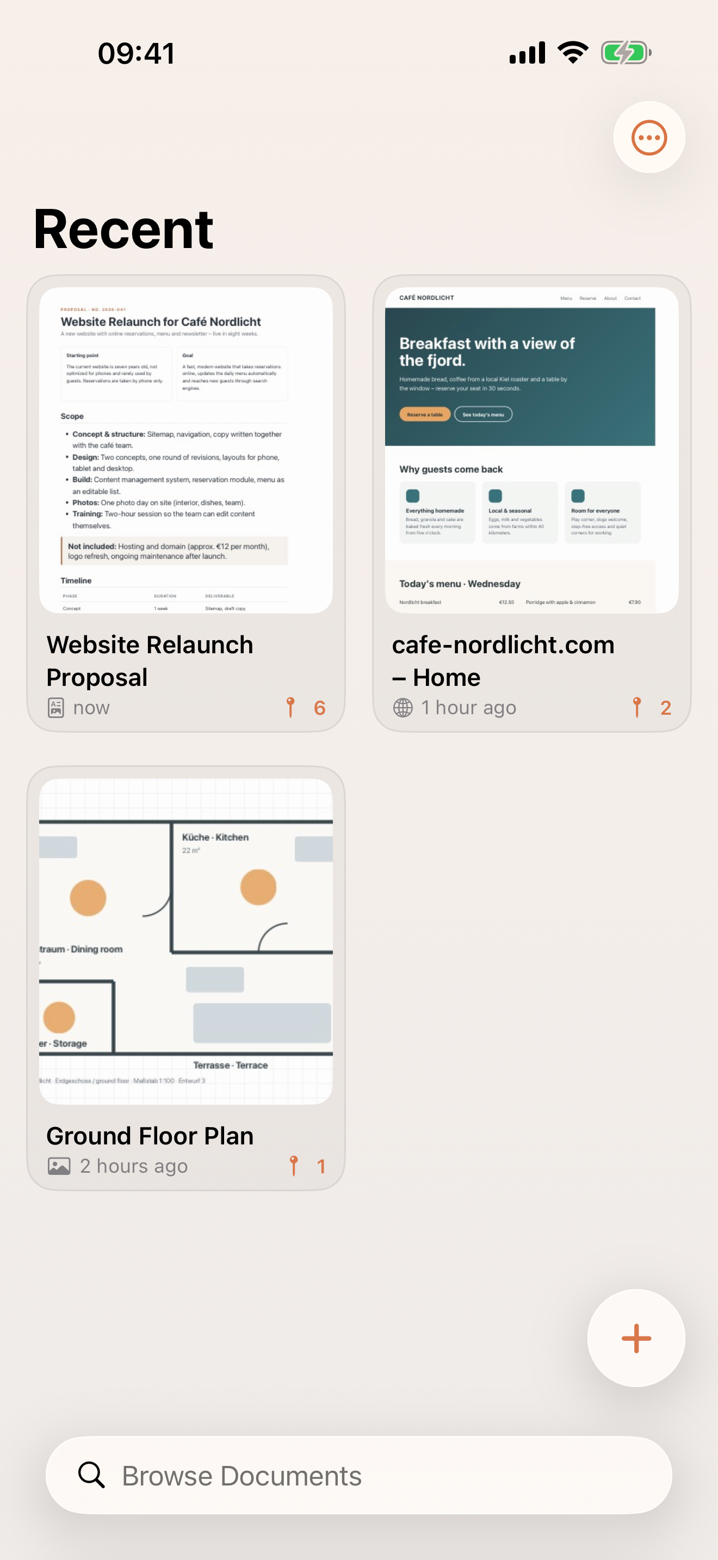
PDF, photos, Word, Excel, Keynote, Pages, text and web pages. Share from any app or import in Pinnwerk.
Markers that mean something
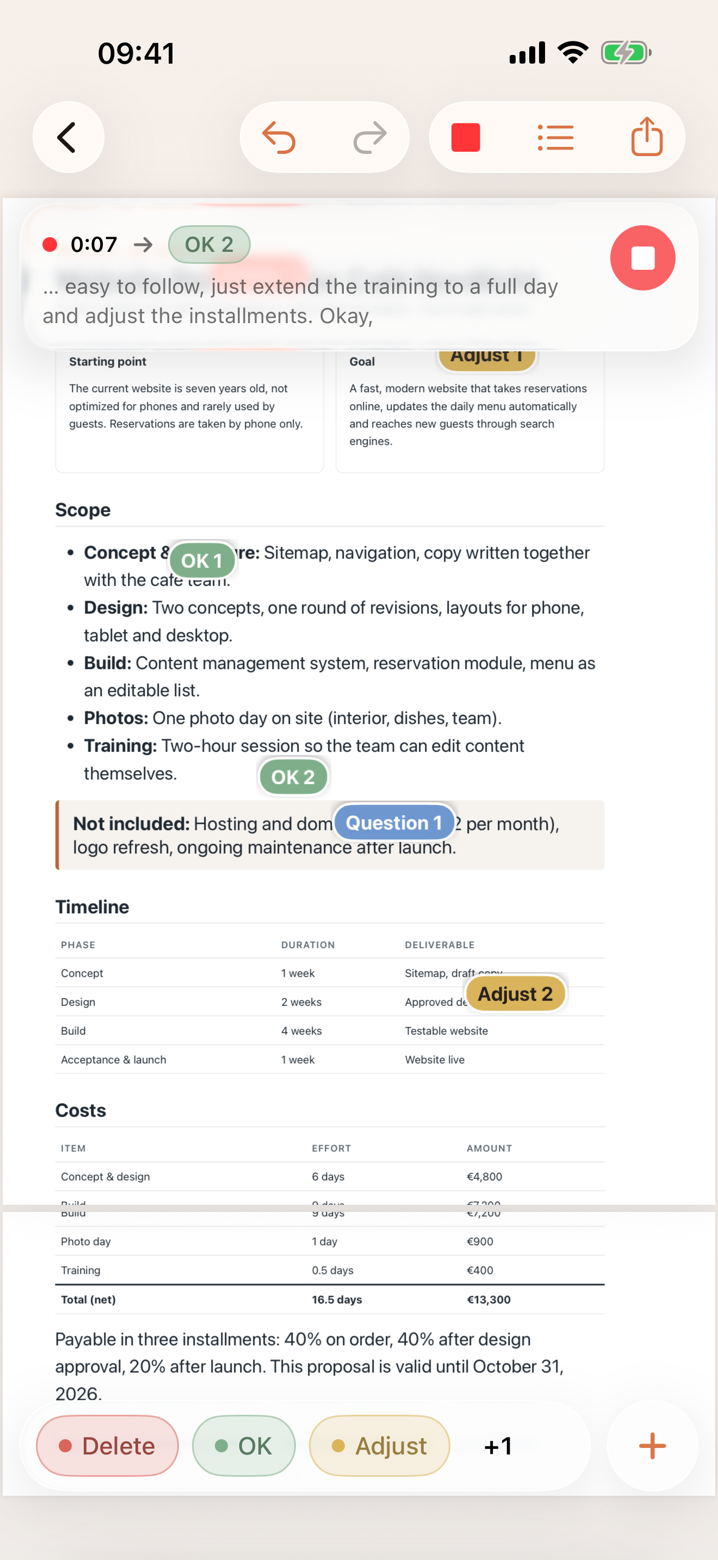
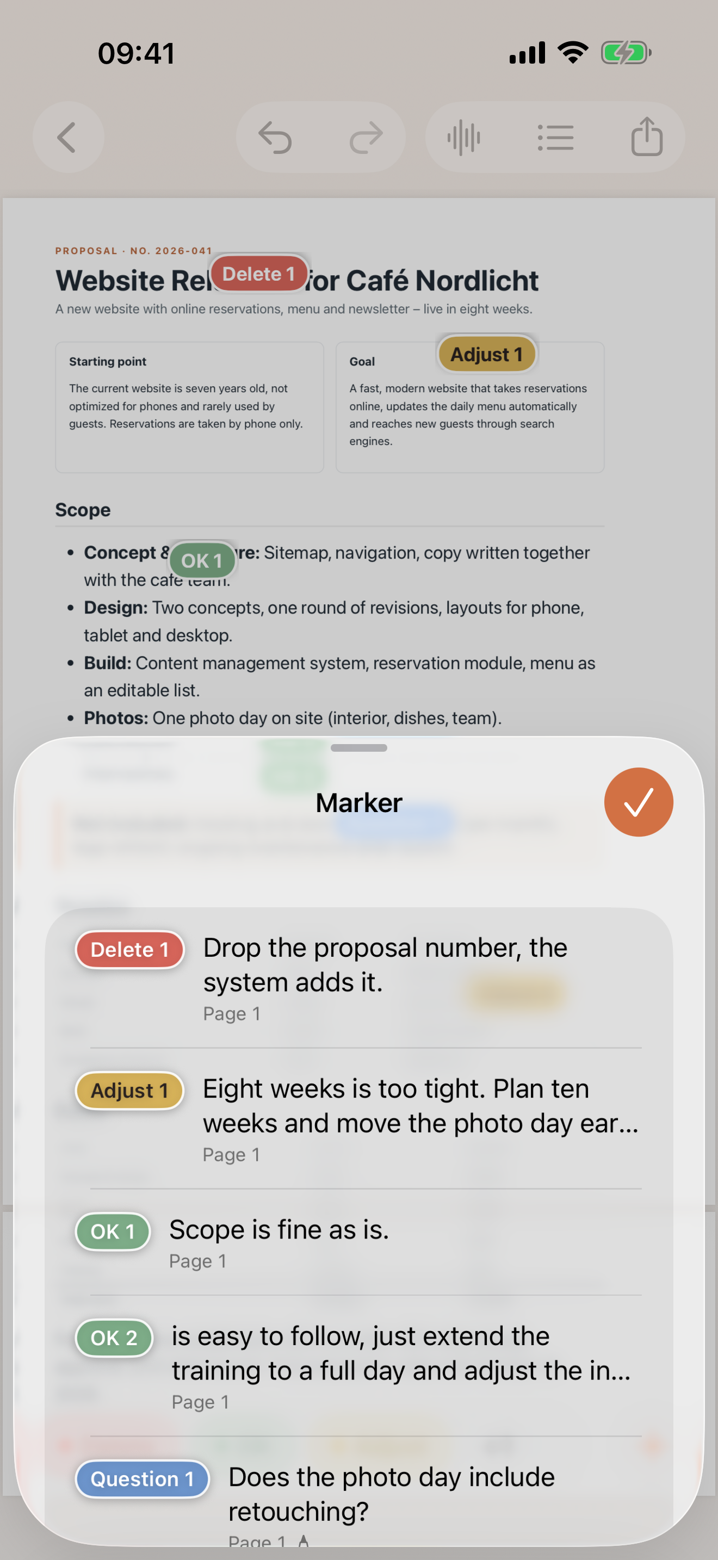
“Delete 1”, “Adjust 2”, “Question 3”. Your own colors and names, numbered automatically, movable at any time – organized in sets for every kind of job.
Text, drawing, dictation
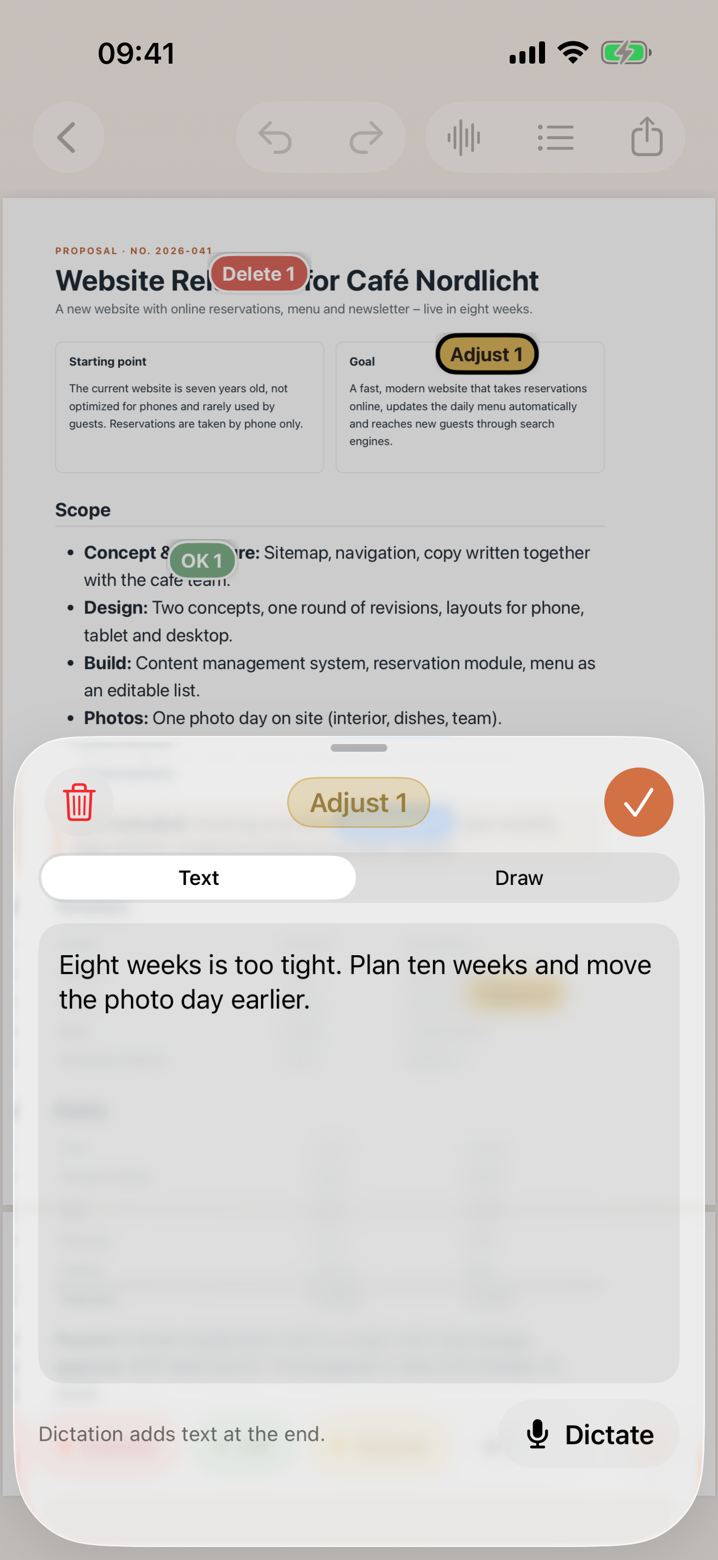
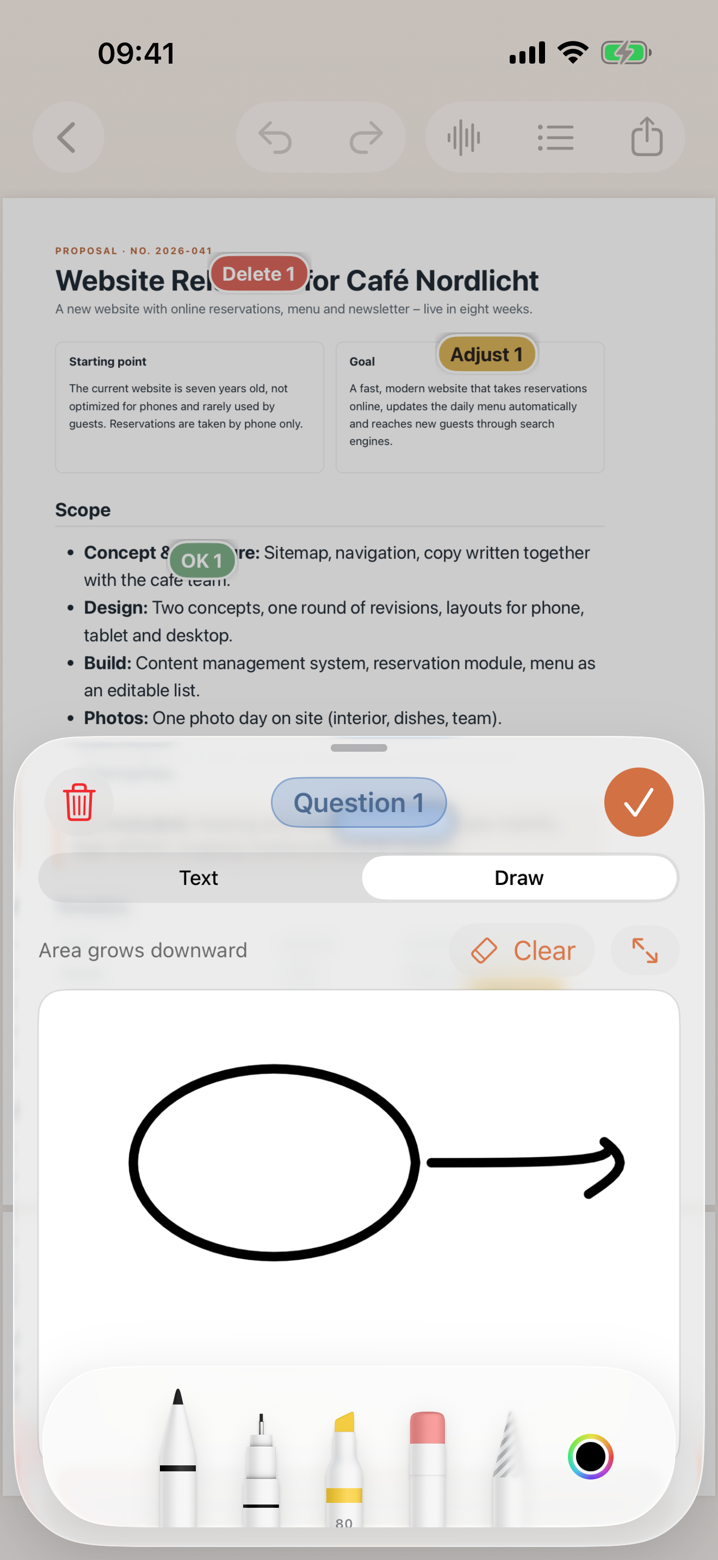
Type it, sketch it with your finger or Apple Pencil, or say it. Every marker keeps its own note.
Continuous dictation
Start talking, drop markers as you go. Pinnwerk assigns what you say to the marker you just placed.
Export that AI understands
The original with markers, followed by a structured list of notes with page and position. Or copy Markdown straight into ChatGPT or Claude.
Private by design
No account, no tracking. Documents stay on your device; speech recognition runs on-device wherever possible.
Simple pricing
- Up to 3 documents
- Markers, text, drawing, dictation per marker
- PDF export with a small Pinnwerk note
- Unlimited documents
- Export without the note
- Marker sets you switch by swiping
- Continuous dictation across a whole document